Edge AI cameras · Updated October 2026
Edge AI camera features and applications
What an edge AI camera does on its own processor, which features a battery-powered one needs, the five jobs it suits, and how to choose the chip for yours.
Quick answers
- What is an edge AI camera? A camera that runs the detection model on its own processor and sends out the result, such as "person at the gate", instead of a video stream. More
- What is edge AI used for? In cameras, mostly security, wildlife monitoring, agriculture, robotics and remote sites where power and bandwidth are scarce. More
- Which chip suits a battery-powered AI camera? An ESP32-S3 with 8 MB of PSRAM runs single-class detection such as faces on one LiPo cell; several objects per frame or Linux software needs an i.MX 8M Plus with its 2.3 TOPS accelerator. More
- Does an edge AI camera need Wi-Fi? Detection runs without a network; the camera needs Wi-Fi or Bluetooth LE only to send the result or the picture. More
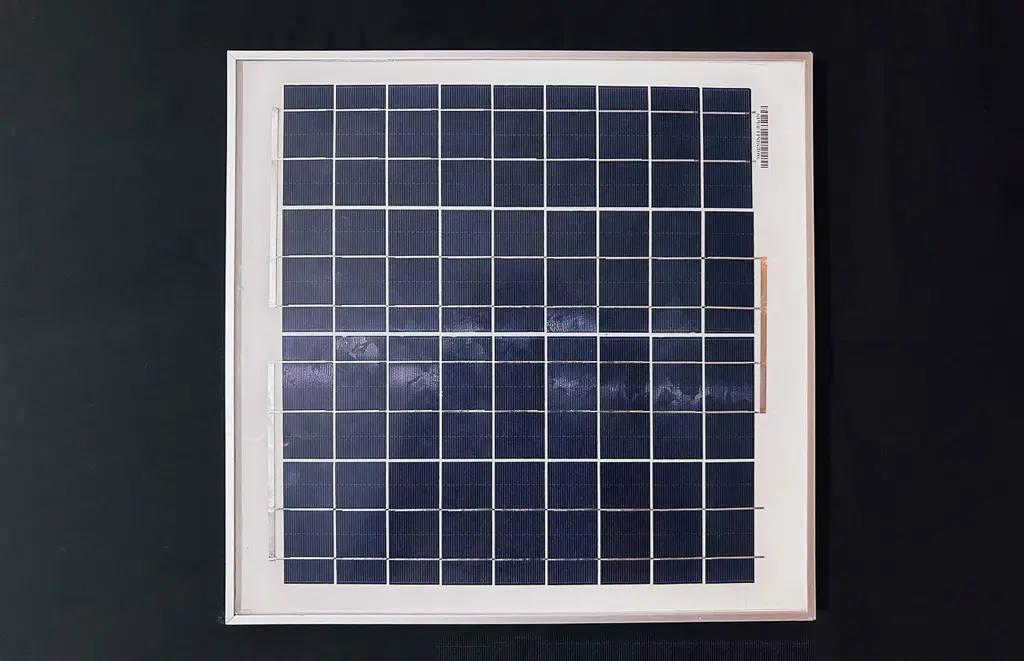
- How long does one run on a battery? It depends on how often it wakes; the solar roof camera built on Tokay Lite runs about six months per charge. More
The board behind these examples
Tokay Lite, open-source edge AI camera
- 15 fpsfrom the OV2640 sensor at 2 MP
- 8 MBof PSRAM for camera frames and model weights
- 10 IR LEDsat 850 nm light the scene to about 10 m at night
- 6 monthsper charge for the solar roof camera built on the board
What is an edge AI camera?
An edge AI camera takes the picture and runs the neural network on the same board. It sends out a short result, such as a count, a detected face or a motion event, and the image only when you ask for it. The edge is the device itself, as opposed to a server or a cloud service.
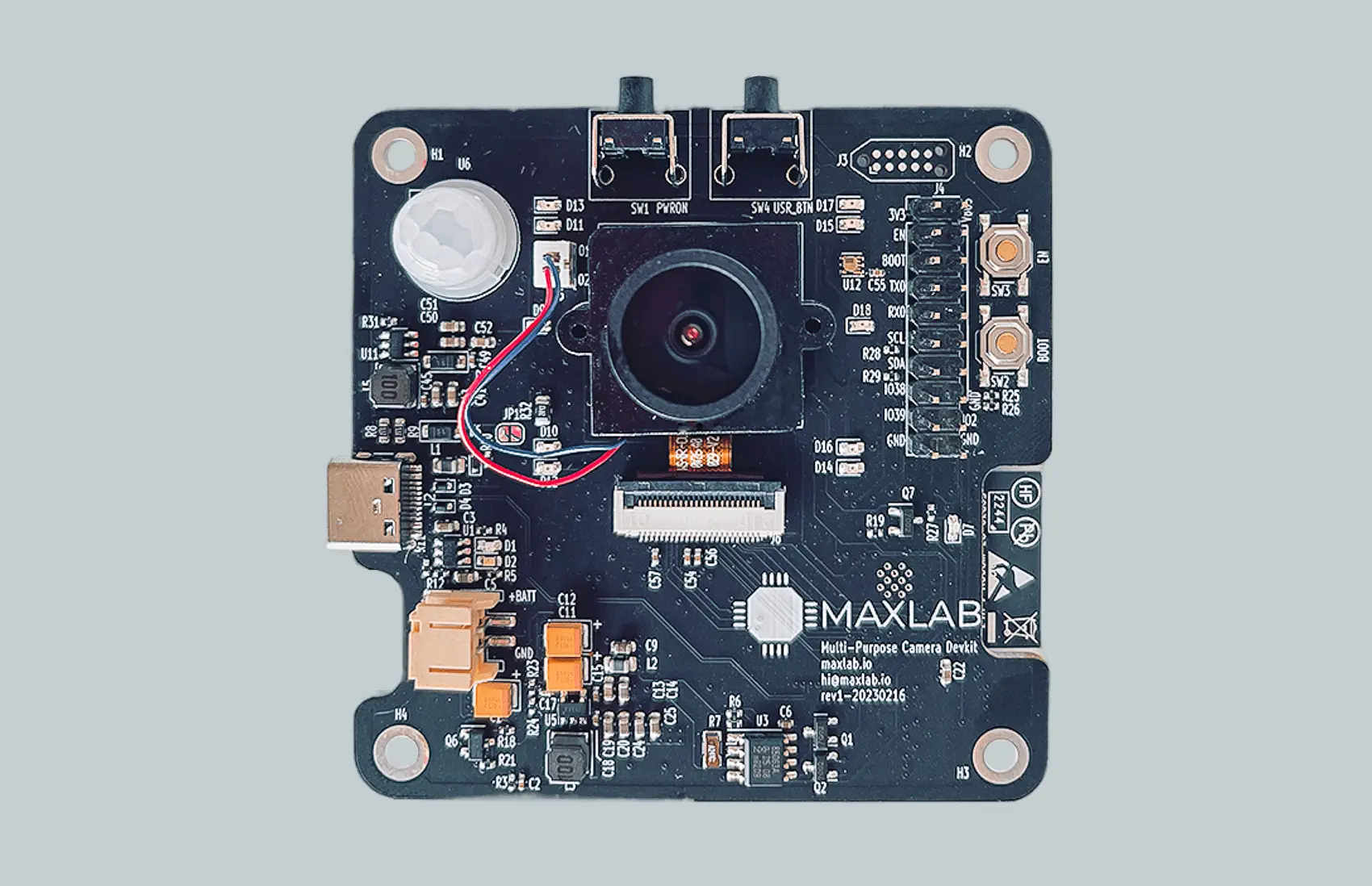
Tokay Lite, the camera this article uses as its example, is built on an ESP32-S3. It has night vision, a motion sensor and a battery charger on one 70 × 70 mm board, and both the hardware and the SDK are open source. It was designed for software developers who want to build a vision device without designing hardware first.
Why run the model on the camera
- Faster response. The decision is made on the board, so there is no round trip to a server before an alert or an action.
- Less data to send. A result is a few bytes; a video stream needs a constant link and the power to keep it up.
- Works where the link is poor. The camera keeps detecting when the network drops and sends results when it comes back.
What features does an edge AI camera need?
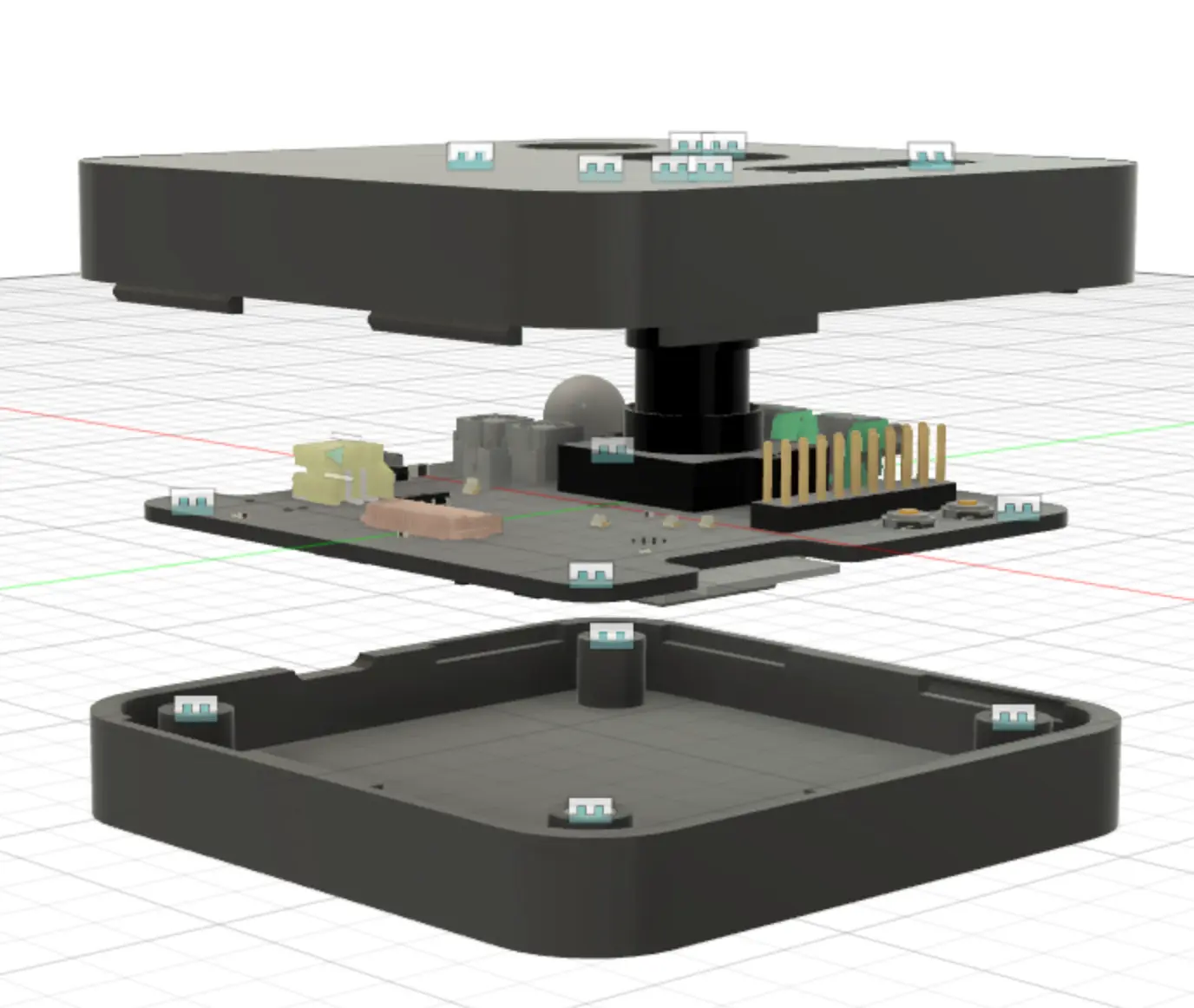
Six things decide whether a camera can run detection away from mains power. This is how each one is done on Tokay Lite.
A model that runs on the chip
The ESP32-S3 runs TensorFlow Lite Micro and Espressif's esp-dl. Tokay Lite ships with face detection at 1 to 10 frames per second, depending on resolution and settings.
Night vision
Ten 850 nm infrared LEDs light the scene to about 10 m. The firmware switches an IR-cut filter so daytime pictures keep their colour and night pictures use the infrared light.
Motion and light sensors
A passive infrared (PIR) sensor wakes the camera when something warm moves in front of it. An ambient light sensor tells the firmware when to switch between day and night mode.
Power that switches off
A programmable external real-time clock controls the regulator, so the board draws microamps between events. The PIR sensor and the wake button can also power it up. It runs from a 1-cell LiPo with a charger on the board.
A radio for the result
Wi-Fi and Bluetooth LE are built into the ESP32-S3. Detection does not depend on them; the camera turns the radio on to send a result or a picture and turns it off again.
Setup without code
The camera serves its own configuration page with a live preview, sensor tuning, wake rules and integrations. Results go to HTTP or MQTT endpoints, AWS IoT or ThingsBoard from that page.
What is inside an ESP32-S3 edge AI camera?
A microcontroller with neural-network instructions, a camera sensor and enough external memory to hold a frame and a model at the same time.
Memory is the limit on a microcontroller camera. The ESP32-S3 has 512 kB of RAM on the chip, which is too small for a 2 MP frame. The 8 MB of PSRAM on Tokay Lite holds the camera frame and the model weights while the network runs, and the 16 MB of flash stores the firmware and the model file.
The sensor is an OV2640 on the DVP interface. It delivers 15 frames per second at 2 MP in RGB or JPEG. SPI and UART headers connect the camera to a larger system, and there is no SD card or microphone on the board.
For a side-by-side with the common ESP32 camera board, see ESP32-CAM vs Tokay Lite.
| Type | Characteristic |
|---|---|
| Onboard MCU | ESP32-S3 |
| Sensor interface | DVP |
| Stock camera sensor | OV2640 |
| Image size | 0.3 MP, 2 MP, 3 MP |
| Image formats | RGB, JPEG |
| Frame rate | Up to 15 fps |
| Night vision | Ten 850 nm IR LEDs, switchable IR-cut filter |
| Sensors | Ambient light sensor, passive IR (motion detection) |
| Connectivity | Wi-Fi, Bluetooth LE |
| Memory | 16 MB flash, 512 kB on-chip RAM plus 8 MB PSRAM |
| Software | TensorFlow Lite Micro, esp-dl |
| Interfaces | SPI, UART |
| Battery connector | JST-PH, 2 mm pitch, 1-cell LiPo |
| Power features | Programmable external RTC |
| Board size | 70 × 70 mm, M3 mounting holes |
What is edge AI used for?
The camera is not built for one job. These are five applications where running the model on the board pays off, and the features each one relies on.
Security and surveillance
Night vision and the motion sensor cover a property after dark. The camera sends an alert to your phone or email when it detects motion, so nobody has to watch a feed.
Wildlife monitoring
The PIR sensor wakes the camera when an animal passes, and the infrared LEDs record nocturnal species without a visible flash. Researchers use the pictures to study behaviour and movement.
Agriculture
A camera over a crop or a pen can run a model trained to spot pests or disease in crops or livestock, and send only the finding. Farmers act on a message instead of reviewing hours of footage.
Robotics
A small robot gets image analysis on a board that draws little power and does not need a separate computer. Decisions such as "object ahead" come from the camera itself.
Remote area monitoring
Where there is no mains power, low standby current and a battery or solar panel keep the camera running. It sends results over Wi-Fi or Bluetooth LE from infrastructure, fields or roofs.
Manufacturing and machine vision
Factory inspection usually needs higher resolution and several objects per frame. Read what AI cameras are used for in manufacturing for that side.
Which edge AI hardware fits a battery-powered camera?
Pick the processor from the model you need to run and the power you have. We build cameras on two, and they cover different jobs.
On a battery, with one thing to detect, a microcontroller such as the ESP32-S3 is the usual choice. It sleeps at microamps, wakes on motion or a timer, runs a small model such as face or person detection and goes back to sleep. Tokay Lite is this design.
With several objects per frame, higher resolution or existing Linux code, you need an application processor with a neural accelerator. The NXP i.MX 8M Plus in Tokay Pro has four Cortex-A53 cores and a 2.3 TOPS NPU, runs Linux and reads up to three sensors. It needs a steady power source rather than a small LiPo cell.
If you are building a battery camera that needs on-device person detection, start with the microcontroller and measure. Move up only when the model does not fit or the frame rate is too low.
| ESP32-S3 (Tokay Lite) | i.MX 8M Plus (Tokay Pro) | |
|---|---|---|
| AI compute | Vector instructions on the MCU | 2.3 TOPS NPU |
| Typical model | Face detection, 1–10 fps | Detect and track several objects |
| Sensor | OV2640, 2 MP, 15 fps | IMX219, 8 MP, 30 fps |
| Sensors at once | 1 | 3 |
| Software | Arduino, ESP-IDF | Linux: OpenCV, GStreamer, TF Lite |
| Power | 1-cell LiPo, microamps asleep | Steady supply |
| Temperature | −40 °C to +50 °C | Module rated −40 °C to +85 °C |
How do you start without hardware experience?
Tokay Lite is set up from a browser. These steps come from the getting-started guide.
Power it up
Connect USB-C from a supply that gives at least 1 A and press the power-on button. The red user LED blinks once a second.
Join its network
Connect your phone or laptop to the "Tokay AP" Wi-Fi network and open tokay-lite.local, or 192.168.4.1 if mDNS does not work.
Add your Wi-Fi
Enter your network's name and password. The user LED stays on once the camera is connected.
Set detection and integrations
Open tokay-lite.local on your network to see the preview, tune the sensor, choose wake rules and point results at your MQTT, HTTP, AWS IoT or ThingsBoard endpoint.
Write your own firmware
When you need more, build the open SDK with ESP-IDF or Arduino and load your own TensorFlow Lite Micro, esp-dl or Edge Impulse model.
Resources for learning computer vision
Where this applies at Maxlab
Tokay Lite is the camera described above, sold on Mouser and CrowdSupply. The schematic and layout are open under CERN-OHL-P-2.0 and the SDK under Apache 2.0, both on GitHub. When the job needs Linux, several sensors or the 2.3 TOPS accelerator, we build on Tokay Pro.
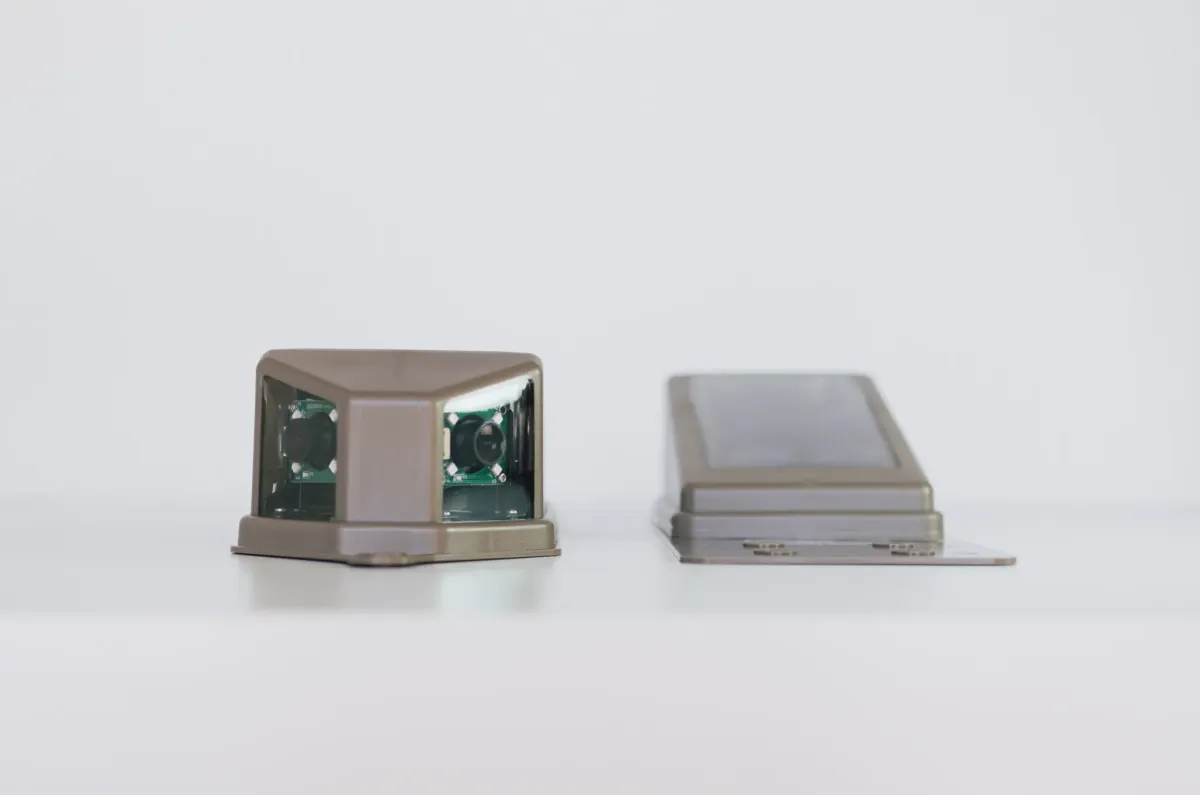
The same platform went into a client product: a solar-powered roof camera that watches ice-melt cables through the winter. We took it from sketches to the first batch in nine months, and 9,500 units have shipped. Our hardware and firmware services cover the same path for your device: sensor choice, enclosure, firmware and certification.
- Tokay Lite
- ESP32-S3, on Mouser and CrowdSupply
- Tokay Pro
- i.MX 8M Plus, 2.3 TOPS, by quote
- Roof camera
- 9,500 units shipped, about six months per charge
- Open source
- CERN-OHL-P-2.0 hardware, Apache 2.0 SDK
Planning an edge AI camera of your own?
Tell us what the camera has to detect, how it is powered and how many you plan to build. We reply within 24 hours.
Or email [email protected] or book a 30-minute call.
Common questions
What is the difference between an edge AI camera and a cloud AI camera?
A cloud AI camera streams video to a server and the server runs the model. An edge AI camera runs the model on its own processor and sends only the result. That cuts response time, uses far less bandwidth and keeps working when the network drops. The trade-off is a smaller model, limited by the chip and memory on the board.
Can an ESP32 run AI for a camera?
Yes, with the ESP32-S3 and external PSRAM. The S3 has vector instructions for neural networks and runs TensorFlow Lite Micro and Espressif's esp-dl. Tokay Lite ships with face detection at 1 to 10 frames per second. The older ESP32 on an ESP32-CAM board has less memory for this; see ESP32-CAM vs Tokay Lite.
What is the best edge AI platform for computer vision on cameras?
It depends on the model and the power budget. For one class of object on a battery, an ESP32-S3 microcontroller is enough. For several objects per frame, 8 MP images or existing OpenCV and GStreamer code, use an application processor with an NPU, such as the NXP i.MX 8M Plus with 2.3 TOPS in Tokay Pro.
Can an edge AI camera see at night?
Tokay Lite can. Ten 850 nm infrared LEDs light the scene to about 10 m, an IR-cut filter switches between day and night mode, and an ambient light sensor tells the firmware when to switch.
Can I train and load my own model?
Yes. Train a model in Edge Impulse, or convert your own to TensorFlow Lite Micro or esp-dl, then build it into the open-source SDK with ESP-IDF or Arduino. The model file sits in the 16 MB of flash and runs out of the 8 MB of PSRAM.
Which IoT platforms does an edge AI camera integrate with?
Tokay Lite sends results over HTTP or MQTT and has settings for AWS IoT and ThingsBoard on its configuration page. Anything that accepts MQTT or HTTP, including your own server, can receive the data.
Can edge AI cameras be used for robotics?
Yes, for small robots that need one decision from the image, such as whether an object is ahead. The camera does the analysis on the board, so the robot does not carry a separate computer. Robots that need several cameras or heavier models fit better on an i.MX 8M Plus board that reads up to three sensors.
How much does an edge AI camera cost?
Tokay Lite costs $102 on CrowdSupply and is also sold on Mouser as part TOKAY-LITE-01. Tokay Pro and custom cameras built on either platform are priced by quote.
Is Tokay Lite open source?
Yes. The schematic and PCB layout are published under CERN-OHL-P-2.0 and the firmware SDK under Apache 2.0, both on github.com/maxlab-io. Setup and firmware guides are at docs.maxlab.io.