Firmware · Updated October 2026
GCC include header files for portable C code
How GCC finds a header file, how to add an include path, and four ways to make the same C source build against a different platform header on each target.
Quick answers
- How do you include a header file with GCC? Write
#include "foo.h"in the source and give GCC the folder that holds it with-I, as ingcc -I./platform_one main.c. Method 0 - How do you compile with header files in GCC? Pass only the
.cfiles, because the preprocessor pastes in every header named by an#includeline. More - In what order does GCC search include paths? For
#include "..."it tries the current file's folder, then-iquote,-I,-isystem, the system folders and-idirafter;#include <...>starts at-I. Search order - How do you choose a header per platform at build time? Pass a macro with
-Dand either test it with#ifor put the header's file name in the macro itself. Methods 1 to 3 - What does gcc -include do? It reads the file as if
#include "file"were the first line of the source, somain.cneeds no include line at all. Method 4
When do you need to switch header files?
When the same source has to build for two platforms, and one function has to be defined differently on each. C has no module system, so the choice is made by which header the preprocessor reads.
Take a small program of two files. main.c does not depend on the platform. It calls platform_foo(), which lives in foo.h and must be static inline on every platform, so it cannot move into a separate .c file that the linker picks.
With one target, you compile and run it directly:
$ gcc main.c
$ ./a.out
Platform one foo!
Now you port the program to a second platform and write a second foo.h whose platform_foo() prints Platform two foo! I can do more!. The rest of this article shows five ways to tell GCC which of the two headers to use.
/* main.c */
#include "foo.h"

int main(void)
{
    platform_foo();
    return 0;
}
/* foo.h, platform one */
#ifndef FOO_H_
#define FOO_H_
#include <stdio.h>
/* Assuming platform_foo() MUST be inline on every platform */
static inline void platform_foo(void)
{
printf("Platform one foo!\n");
}
#endifHow does GCC find a header file?
GCC walks a fixed list of folders and uses the first file with the right name. The quote form #include "foo.h" starts two steps earlier than the angle form #include <foo.h>.
Every method below works by changing what GCC finds at one of these steps. Method 0 changes the -I list. Methods 1 to 3 change the name in the #include line. Method 4 adds a file before the search for main.c's own includes even begins.
If a build picks up the wrong header, ask the compiler to print its search list. The lines between "search starts here" and "End of search list" are the folders, in order. The system folders differ from one machine and toolchain to the next.
$ echo | gcc -v -E -I./platform_one - 2>&1 \
    | sed -n '/search starts here/,/End of search/p'
#include "..." search starts here:
#include <...> search starts here:
 ./platform_one
 (system folders for your toolchain)
End of search list.
Which method should you use?
Use -I include directories unless the headers must have different names. The other four methods move the choice into a macro or a compiler flag, and they cost a few lines of preprocessor code or some shell escaping.
main.c that exist only to pick the header, counted from the examples in this article.Method 0 keeps one plain #include and moves the choice into the folder layout. Method 1 is the easiest to read in the source but grows by two lines for every new platform. Methods 2 and 3 take any header name from the command line. Method 4 removes the include line from main.c altogether, which also hides the dependency from anyone reading the file.
All five are standard preprocessor features. We compiled every example again in October 2026 with Clang, which accepts the same flags as GCC.
| Method | GCC flag for platform one | What main.c contains | Header file names |
|---|---|---|---|
| 0. Include directories | -I./platform_one | #include "foo.h" | Same name in each folder |
| 1. Macro switch | -DUSE_PLATFORM=1 | #if / #elif chain | One name per platform |
| 2. Header name in a macro | -DUSE_HEADER="\"platform_one_foo.h\"" | #include USE_HEADER | Any name |
| 3. Stringized header name | -DUSE_HEADER=platform_one_foo.h | #include XSTR(USE_HEADER) | Any name without spaces |
| 4. Forced include | -include platform_one_foo.h | No include line | Any name |
Method 0
How to add an include directory with -I
Put each platform's foo.h in its own folder and point GCC at the right folder with -I. This is the approach most projects use, and main.c stays unchanged.
Arrange the project so the two headers share a name and differ only by folder. GCC searches the -I folder before the system folders, so #include "foo.h" finds the copy you named.
To add more than one include directory, repeat the flag: gcc -I./platform_one -I./common main.c. GCC searches them left to right. A path can be relative to the folder you run GCC from, or absolute.
In a Makefile the flag usually goes in CFLAGS or CPPFLAGS, so the platform becomes one variable on the make command line.
.
├── platform_one
│   └── foo.h
├── platform_two
│   └── foo.h
└── main.c
$ gcc -I./platform_one main.c
$ ./a.out
Platform one foo!
$ gcc -I./platform_two main.c
$ ./a.out
Platform two foo! I can do more!Method 1
How to switch headers with a -D macro
Define a macro on the command line with -D and let an #if chain in main.c pick the header that matches its value.
Here the headers get different names and sit side by side. In this and the following methods the function is called print_foo().
.
├── platform_one_foo.h
├── platform_two_foo.h
└── main.c
The choice is visible in the source, which helps a reader. The cost is two more lines in every file that includes the header each time you add a platform.
#if USE_PLATFORM == 1
#include "platform_one_foo.h"
#elif USE_PLATFORM == 2
#include "platform_two_foo.h"
#endif

int main(void)
{
    print_foo();
    return 0;
}
$ gcc -DUSE_PLATFORM=1 main.c
$ ./a.out
Platform one foo!
$ gcc -DUSE_PLATFORM=2 main.c
$ ./a.out
Platform two foo! I can do more!Method 2
How to pass a header file name on the GCC command line
Put the whole header name, quotes included, in a macro. The C standard allows #include to take a macro that expands to a header name (C99 6.10.2#4).
This is legal C:
#define USE_HEADER "foo.h"
#include USE_HEADER
So main.c shrinks to #include USE_HEADER, and the name arrives through -D. The awkward part is the command line: the macro must contain the quote marks, so you escape them for the shell. The outer pair of quotes is for the shell, and it matters when the file name contains spaces or other characters the shell would split on.
Angle brackets work as well, as in -DUSE_HEADER="<foo.h>" instead of -DUSE_HEADER="\"foo.h\"". The search then starts at the -I step.
#include USE_HEADER

int main(void)
{
    print_foo();
    return 0;
}
$ gcc -DUSE_HEADER="\"platform_one_foo.h\"" main.c
$ ./a.out
Platform one foo!
$ gcc -DUSE_HEADER="\"platform_two_foo.h\"" main.c
$ ./a.out
Platform two foo! I can do more!Method 3
How to pass a header name without escaping quotes
Pass the bare file name, -DUSE_HEADER=foo.h, and let the preprocessor add the quotes with the stringizing operator #.
Stringizing turns a macro argument into a string literal. It takes two macros, because # does not expand its argument first. STR(USE_HEADER) gives "USE_HEADER", and GCC looks for a file of that name. XSTR(USE_HEADER) expands USE_HEADER to platform_one_foo.h and only then passes it to STR.
Corrected in October 2026: the first version of this example called STR() directly, which fails with "USE_HEADER: file not found". The code here uses XSTR() and was compiled again.
The Eclipse Paho embedded MQTT client uses this trick to include a header the user supplies.
#define XSTR(s) STR(s)
#define STR(s) #s

#include XSTR(USE_HEADER)

int main(void)
{
    print_foo();
    return 0;
}
$ gcc -DUSE_HEADER=platform_one_foo.h main.c
$ ./a.out
Platform one foo!
$ gcc -DUSE_HEADER=platform_two_foo.h main.c
$ ./a.out
Platform two foo! I can do more!Method 4
How to force-include a header with gcc -include
The -include file option makes GCC process the file as if #include "file" were the first line of the source. It is the least common of the five.
According to the GCC preprocessor options, GCC looks for the file in the folder you run it from first, then along the usual quote-form search chain. Several -include options are read in the order given.
main.c then needs no include line. That is handy for a configuration header every file needs, and confusing in a small program, because nothing in the source says where print_foo() comes from. GCC accepts both -include foo.h and --include=foo.h.
More background: why GCC has an -include option.
int main(void)
{
    print_foo();
    return 0;
}
$ gcc -include platform_one_foo.h main.c
$ ./a.out
Platform one foo!
$ gcc --include=platform_two_foo.h main.c
$ ./a.out
Platform two foo! I can do more!How do you compile a C program with header files?
You compile the .c files and tell GCC where the headers are. A header is text the preprocessor pastes into each source file; it is never compiled or linked on its own.
List the .c files, not the .h files
gcc -I./platform_one main.c foo.c -o app compiles both sources. Each one pulls in the headers its #include lines name.
Headers are not linked
The linker sees object files and libraries. If a header declares a function from a library, link the library with -L for its folder and -l for its name.
See which headers GCC used
gcc -H main.c prints every header it opens, with dots for the nesting depth. gcc -v prints the search list shown above.
Where this applies at Maxlab
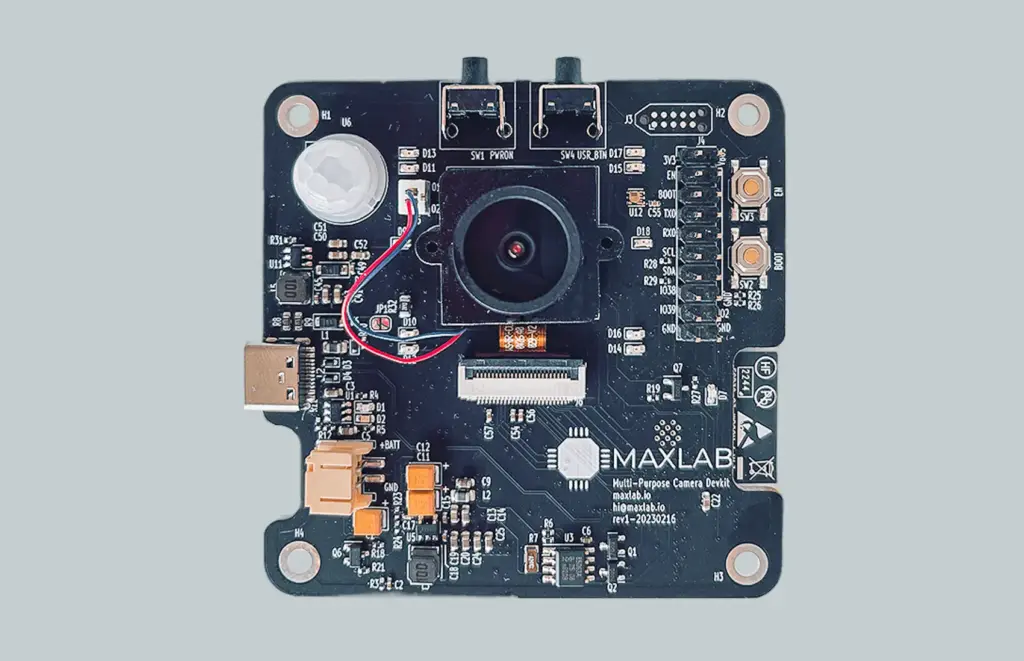
We write firmware for our own boards and for client devices. Choosing a header per board comes up whenever one codebase has to build for more than one of them. The Tokay Lite ESP32-S3 camera has an open-source SDK on GitHub under Apache 2.0, and it builds with both ESP-IDF and Arduino. The Tokay Pro runs Linux on an i.MX 8M Plus, and its Yocto layers are public too.
Client projects on our work page include the ESP32 Tuya gateway, which went from start to production in four months, and the solar roof camera, which shipped 9,500 units. If you are porting firmware to a new microcontroller or starting a device from scratch, our hardware and firmware development services cover both.
- Tokay Lite SDK
- Apache 2.0, ESP-IDF and Arduino
- Tokay Lite hardware
- CERN-OHL-P-2.0, schematic on GitHub
- Tuya gateway
- 1,750 units, four months to market
- Solar roof camera
- 9,500 units shipped
Get help porting firmware to a new board
Tell us the current microcontroller, the target one and how the code is built today. We reply within 24 hours.
Or email [email protected] or book a 30-minute call.
Common questions
How do I add an include path in GCC?
Pass the folder with -I, for example gcc -I./include main.c. There is no space needed between -I and the path, though GCC also accepts -I ./include. Relative paths are taken from the folder you run GCC in.
How do I add multiple include directories to GCC?
Repeat the flag once per folder: gcc -I./platform_one -I./common main.c. GCC searches the -I folders from left to right and uses the first matching file, so put the folder whose headers should win first.
What is the difference between #include "file" and #include <file>?
The quote form first looks in the folder of the file that contains the #include, then in folders given with -iquote. After that both forms search the -I folders, the -isystem folders and the system folders in the same order. Use quotes for your project's headers and angle brackets for system and library headers.
What is the difference between -I and -include in GCC?
-I dir adds a folder to the search list and changes nothing until a source file asks for a header. -include file reads that header before the first line of every source file on the command line, as if the source started with #include "file".
Do I need to link header files with GCC?
No. Headers are pasted into each source file by the preprocessor and are never compiled or linked on their own. You link object files and libraries; if a header belongs to a library, add -L with the library's folder and -l with its name.
How can I see which header files GCC includes?
Add -H and GCC prints the path of every header it opens, indented with dots by nesting depth. To see the folders it searches, run echo | gcc -v -E - and read the list between "search starts here" and "End of search list".
What does -isystem do in GCC?
It adds a folder that GCC treats as a system header folder. Those folders are searched after the -I folders, and GCC suppresses most warnings from headers found there, which is useful for third-party code you do not want to fix.
Can I pass the header file name as a GCC command-line argument?
Yes, in a macro. Either pass the name with its quotes, -DUSE_HEADER="\"foo.h\"", and write #include USE_HEADER, or pass the bare name and wrap it with a two-level stringizing macro as shown in Method 3.
Do these include methods work with Clang?
Yes. Clang accepts -I, -iquote, -isystem, -idirafter, -D and -include with the same meaning, and every example in this article compiles with it.